PC Store Together Hardware Tier Progression
How reputation unlocks better parts — and how sockets, watts, and heat decide what actually sells.
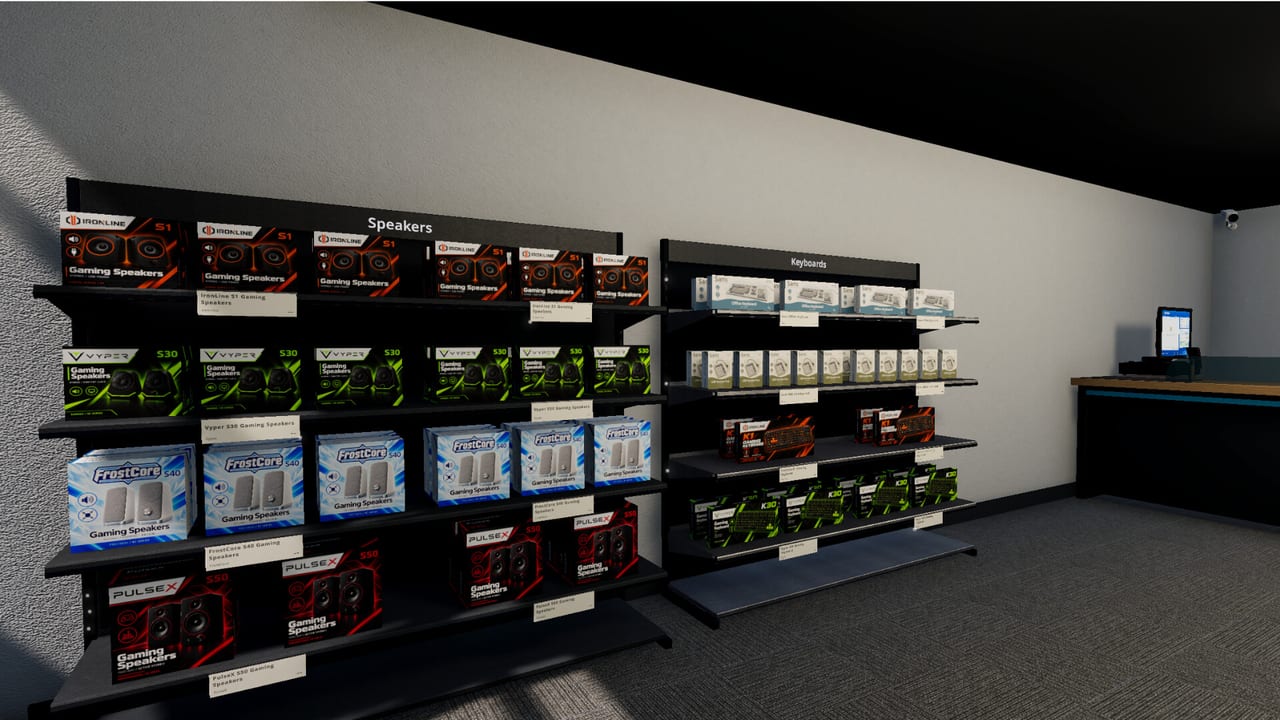
In PC Store Together, progression is a ladder of component tiers. You do not unlock a new class of hero — you unlock better silicon, cooler capacity, power delivery, and cases that can host them. Reputation and store expansion gate those shelves. This page explains how to think about each category so your shop stops dying on failed posts and underpriced builds.
If you are brand new, finish Getting Started first, then return here with How to Build PCs and the Build Checklist open. Co-op crews should also skim Co-op Roles so one player owns purchasing while another owns assembly QC.
Reputation gates the catalog
Early reputation keeps you in entry CPUs, basic air coolers, modest RAM, and PSUs sized for light discrete GPUs or iGPU-friendly boards. As the shop earns trust —completing builds, clearing repair tickets, serving the register without chaos —higher tiers appear. Those SKUs carry higher unit cost and higher sell potential, but only if the finished system posts, stays thermally sane, and benchmarks well enough to justify the tag.
Do not treat every unlock as mandatory inventory. Buy for recipes you can finish today. A mid-tier GPU without a matching PSU and cooler is a shelf ornament. Cross-link stocking decisions to Store Management and margin math on Pricing Tips.
CPUs and motherboards
Socket match is non-negotiable. Seat the wrong CPU family on a board and the machine will not post. When a new CPU tier unlocks, check which motherboards unlock with it (or already sit on your shelf). Keep a small buffer of matching boards so custom orders and repairs do not stall while a delivery truck is on the way.
Prefer CPUs that fit the customer briefs you see most: office / light gaming early, then enthusiast gaming and creator-class parts later. Overbuying flagship CPUs before you have coolers and PSUs for them burns cash. For repair demand, stock at least one common cooler and RAM kit per active socket generation —see How to Repair.
Coolers and thermals
Thermals are simulated. A hot CPU under a weak cooler will tank stability and the benchmark you use to price the finished tower. When TDP climbs with higher CPU tiers, upgrade coolers in lockstep. Leave clearance for case airflow; stuffing a huge cooler into a tiny chassis is a co-op comedy bit that costs a sale.
In multiplayer, assign one person to thermal QC: confirm cooler mounting, paste, fan orientation, and case fans before the side panel closes. That habit pairs with the mid-article checklist on the Build Checklist page.
GPUs and PSU wattage
Discrete GPUs define many high-margin custom builds. They also define power draw. Undersized PSUs are a classic fail state: wrong wattage, no boot, wasted bench time. When a GPU tier unlocks, audit your PSU shelf the same day. Keep headroom above the GPU’s stated need so RAM, storage, and fans do not push you over the edge.
Stock cables and cases that physically fit the cards you sell. A GPU that will not seat is as useless as a dead PSU. Price GPUs as part of a complete system whenever possible —standalone part sales help, but finished builds usually clear more profit after labor. Use Pricing Tips after a clean benchmark pass.
RAM, storage, and cases
RAM tiers usually improve capacity and speed within supported board channels. Mismatching slots or stuffing unsupported kits wastes a rebuild. Keep labeled kits on the parts shelf so co-op partners do not grab the wrong generation under pressure.
Storage unlocks improve capacity and sometimes interface speed. Offer a default SSD in every custom build unless the customer order says otherwise —fewer support callbacks, happier register line. Cases unlock better airflow, GPU clearance, and display appeal. Upgrade the display floor when you expand; customers judge the shop by what they see walking in from the shop floor.
Suggested stocking waves
Wave A —survival. Compatible CPU + board pairs, one reliable cooler class, enough PSU for the GPUs you dare stock, basic RAM/SSD kits, and a case that fits them. Goal: every order posts.
Wave B —reputation midgame. Replace obsolete CPUs that no longer appear in orders. Add mid GPUs with matching PSUs/coolers. Keep repair spares for Wave A sockets so older customers still get fixed —How to Repair.
Wave C —expansion. Dual lanes: value builds for walk-ins, performance builds for custom tickets. Extra benches from expansion let you parallelize; see Players Hub for crew size tips and Updates for patch-era stability notes.
Co-op purchasing discipline
Four players can bankrupt a shop in one shopping spree. Agree on a buyer role. That player checks unlock lists against open orders and repair queues before spending. Builders shout needed sockets and wattage; the register player reports what customers refuse to buy. Document house recipes so anyone can rebuild a known good SKU after a hotfix night —Patch Notes.
Linking the loop
Tiers feed builds, builds feed prices, prices feed expansion, expansion feeds new tiers. Keep Tier List Hub, Tools, Guides, and Links (Steam + Discord) in your rotation. There are no redeemable promo codes at launch —Codes covers the Steam intro discount and how to watch for later sales instead.
Master the hardware ladder and every other system in the shop gets easier: fewer failed posts, cleaner benchmarks, happier queues, and enough cash to unlock the next shelf without panic.
Frequently Asked Questions
Quick answers for shop owners and co-op crews.
What unlocks higher hardware tiers?
Shop reputation and expansion progress. Serve customers, complete builds and repairs, and grow the store to open better component shelves.
Why did my high-end build fail to post?
Check socket match, RAM seating, and PSU wattage first. Thermals and cooler mounting also matter once the system powers on.
Should I buy every new part when it unlocks?
No. Buy parts that complete recipes you can finish and sell now, plus repair spares for active sockets. Protect cash flow.
Where do I see related guides?
Use How to Build PCs, How to Repair, Store Management, the Build Checklist, and Pricing Tips —all linked from this page and the Tier List Hub.